
PICTURES. PROMPTS. YOUR PACE.
See what
comes next.
A clear visual routine, with colourful activity tiles, optional audio and timers. Start with something ready-made and change only what needs to fit the person.
A$19.95 once
Includes Australian GST. No subscription.
Prepare on a computer. Use on a phone or tablet. Each device saves separately; move routines with a private transfer file.
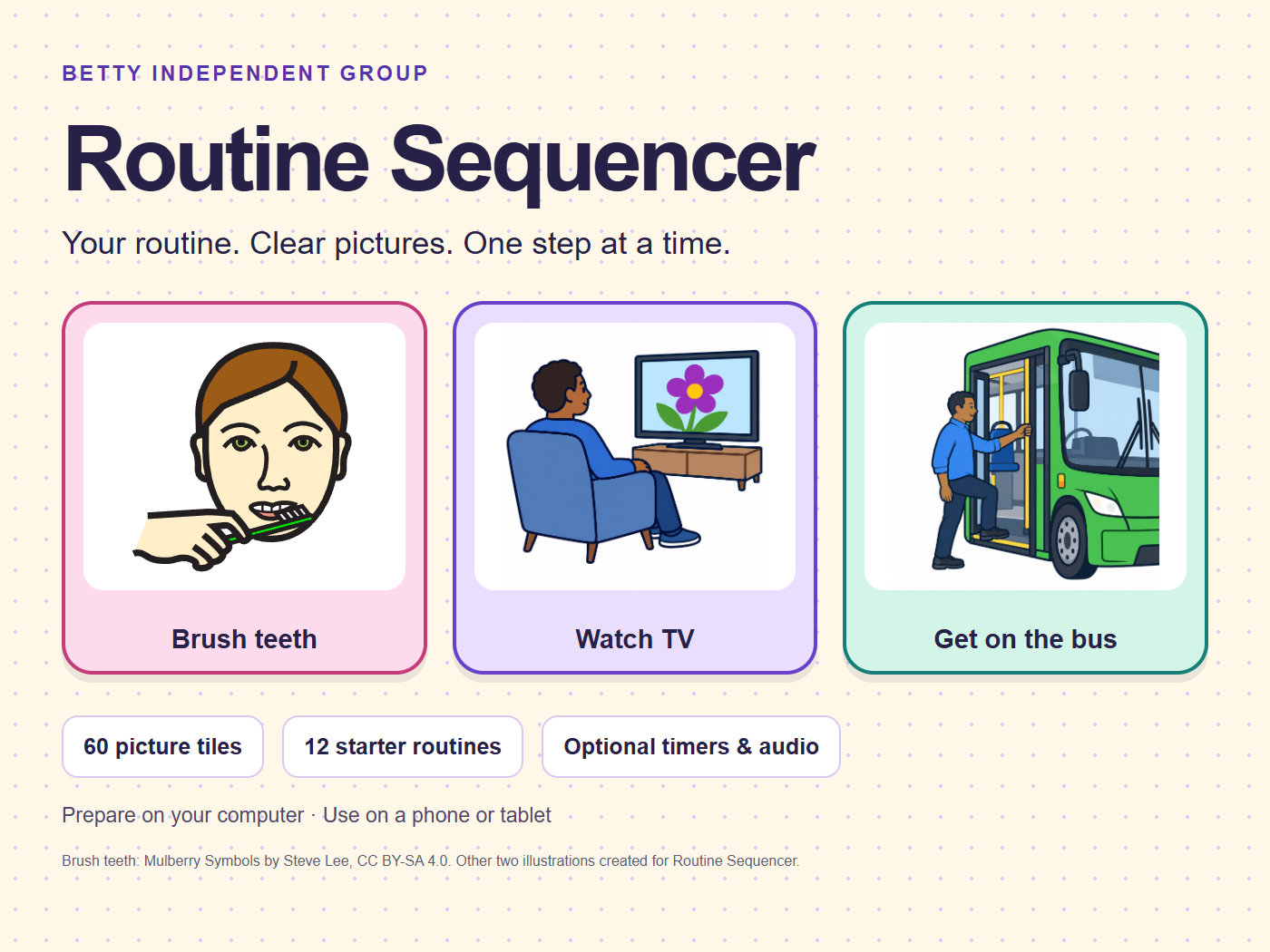
Less starting from scratch.
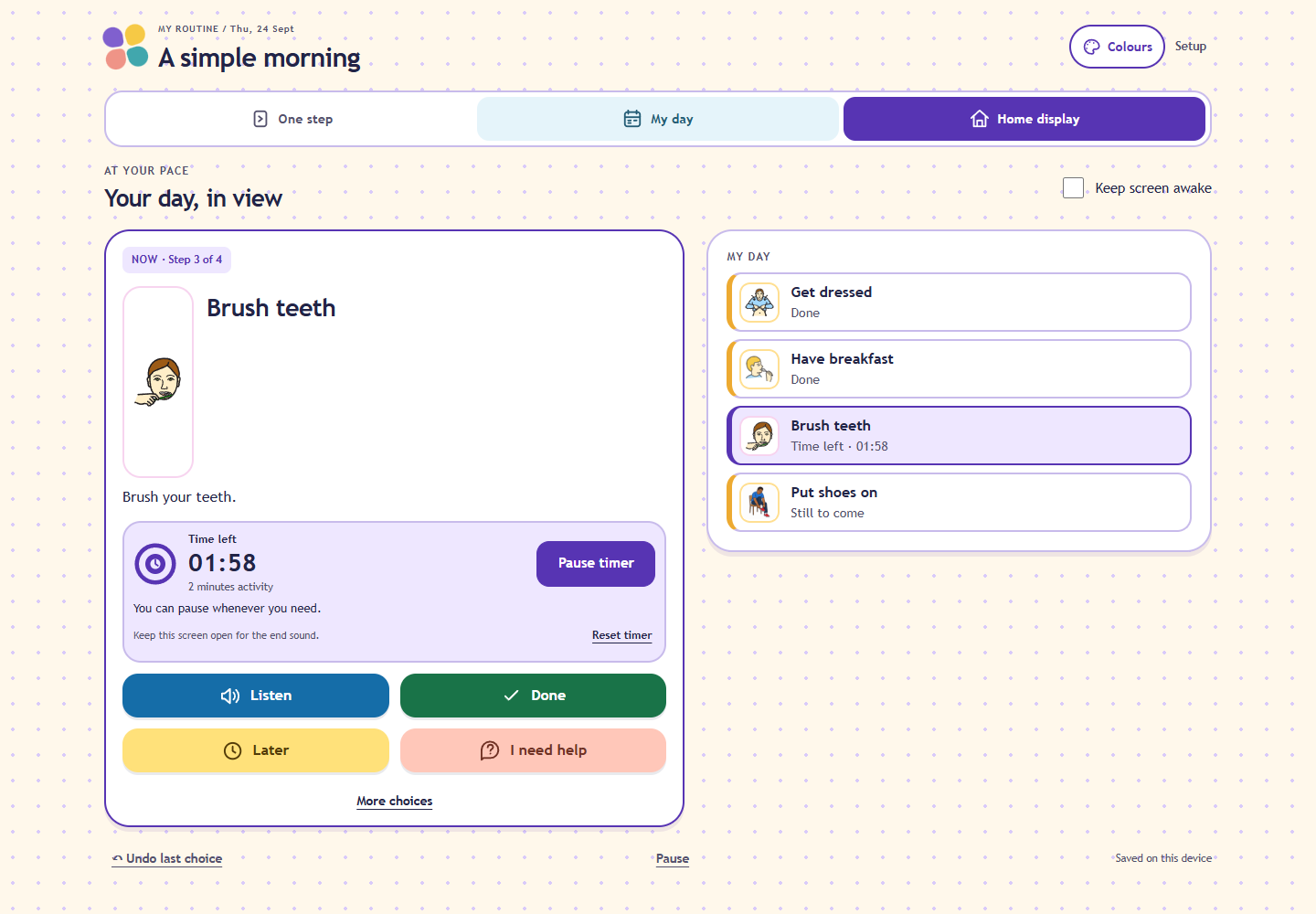
Supporters, carers and parents already have plenty to do. Choose a starter routine, leave out the steps you do not need, then make a few familiar changes. The person using the routine can see one activity at a time or look at their day together.
Ready-made starting points
60 picture tiles across eight everyday categories and 12 starter routines. Search, select several tiles, or preview a whole routine.
Time you can see
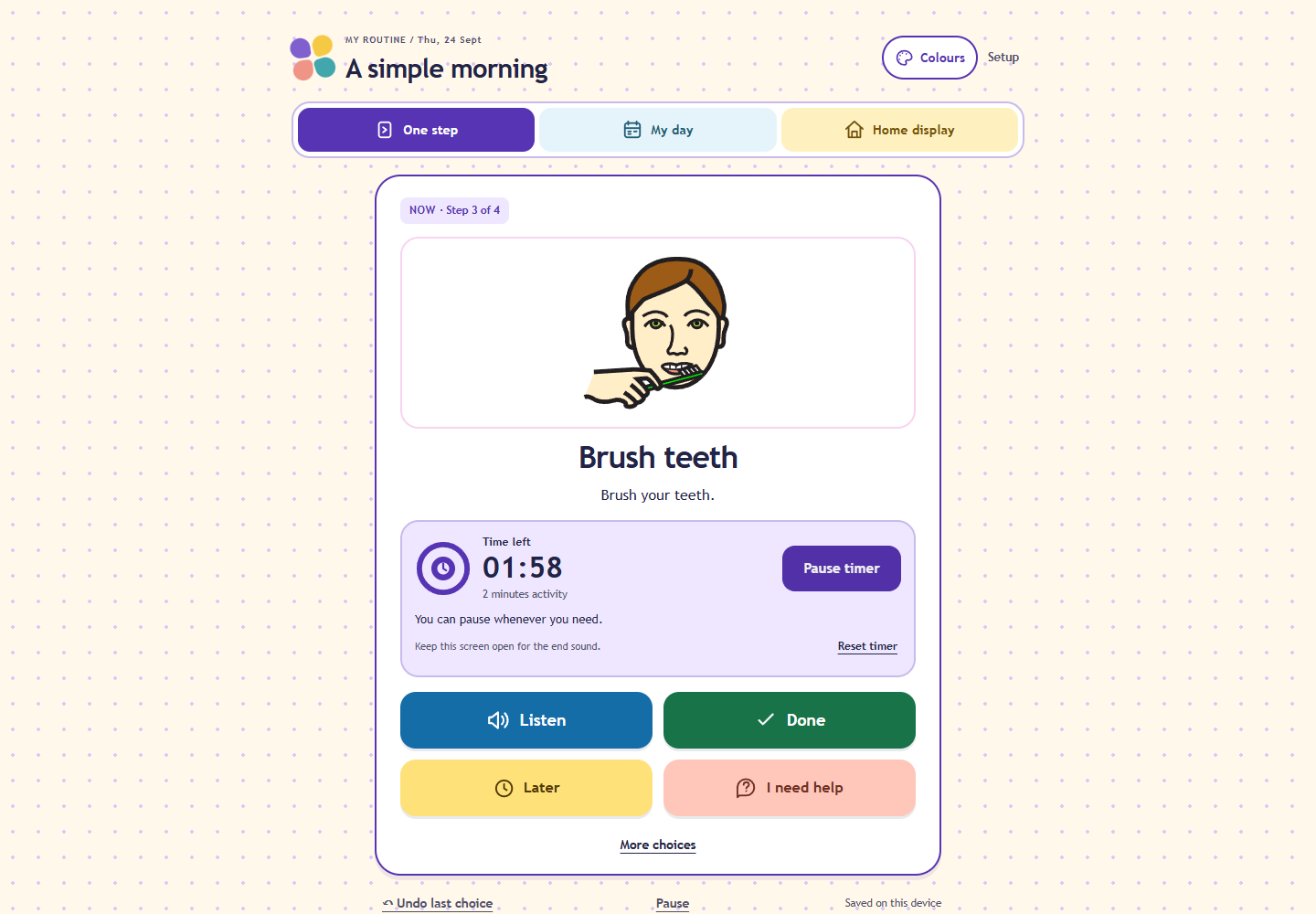
Optional activity timers with a countdown and dial. Start with two minutes for teeth, then adjust durations for other activities.
Make it familiar
Change pictures, add permitted photos or a familiar voice recording, and choose Bright, Bold contrast or Plain colours.
A SHORT GUIDED EXAMPLE
From a starter routine to the everyday view.
Watch the real app with fictional examples. Narration and built-in captions guide you through setup, timers, colours and transferring between devices.
A clear step. A day you can revisit.
Before you buy
What do I receive?
The current Routine Sequencer 0.5.0 app, a buyer access link, a three-page quick-start guide, detailed instructions, picture credits and an optional static app archive. Open the app from your guide in a browser; you do not need coding tools for normal use.
One purchase covers one household or one supported person and the people helping them. It is not a provider-wide or multi-client system. Future features and dates are not promised.
Will it work on my device?
The app has layouts for computers, phones and tablets. First loading and updates need internet access. Compatible browsers can offer installation to the home screen; you can also use a bookmark. Current checks cover desktop Chromium, emulated phone/tablet sizes and offline reopening. Physical phones/tablets and Safari are not yet verified for this release. Speech, audio formats and installation vary by device and browser.
Contact support@bettyindependent.com.au if you need help checking suitability before buying.
How do setup and daily use work?
A six-digit setup PIN helps separate the builder from everyday use. Save the recovery code privately. Prepare the routine together, choose Use this routine for a fresh copy, then hand over. The person can choose Done, Later or I need help, revisit steps and undo choices. Help records a choice; it does not contact anyone. Done records a selection; it does not verify that the activity happened.
How are routines saved or moved?
Routines, photos, recordings and progress stay in browser storage on that device. There is no Routine Sequencer account or automatic cloud sync. Use a routine transfer to move templates and media privately from the computer to a phone or tablet. Later edits require a new transfer. Save full backups after important changes. Clearing browser storage, changing browser/profile or losing a device can lose the local copy. Backups are not encrypted. The PIN is not encryption or a replacement for device security.
What should I know about pictures and timers?
Check pictures with the person using them. No symbol is assumed to be understood by everyone; familiar photos can be clearer. Audio is optional and depends on the device. Timers count down, but an end sound needs the app to remain open. They are not reliable background or locked-screen alarms. This is an everyday routine tool, not an emergency, medication-monitoring or supervision system.
Purchase terms, support and consumer rights
Read the full purchase information and terms. Email support@bettyindependent.com.au for an access or product problem. Use fictional examples rather than private participant records. Your Australian Consumer Law rights remain. No NDIS approval, funding eligibility or specific independence outcome is claimed.
Start with a few familiar steps.
A$19.95 once, including Australian GST. No subscription for this version.
Need something tailored? Explore custom apps and personalisation.
Picture credit: 56 unchanged Mulberry Symbols by Steve Lee, CC BY-SA 4.0, plus four illustrations generated for this app. Pictures shown in actual app screenshots retain their original licences. No real participant information is shown.