Set up familiar choices.
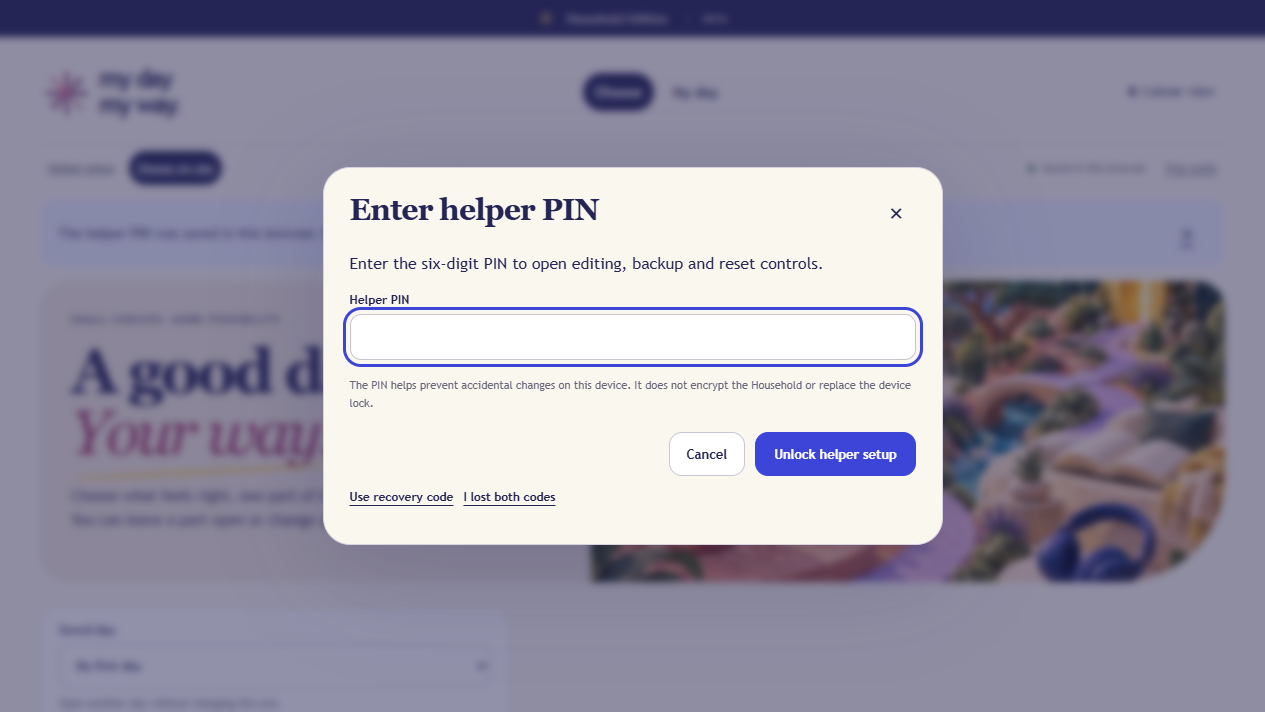
A helper creates the required six-digit PIN, keeps the one-time recovery code somewhere separate, then prepares saved days, reusable setups and familiar activities.

MY DAY, MY WAY / HOUSEHOLD EDITION
Prepare a small set of visual and spoken choices, let the person choose First, Next and Later, then turn those choices into a clear day plan.
A$29 one-off · including Australian GST
Android 13 Chrome has been checked using the BlueStacks emulator. Compatibility checks are continuing across more phones and tablets, including Apple devices. Exact installation, speech and browser behaviour can vary by device and browser.
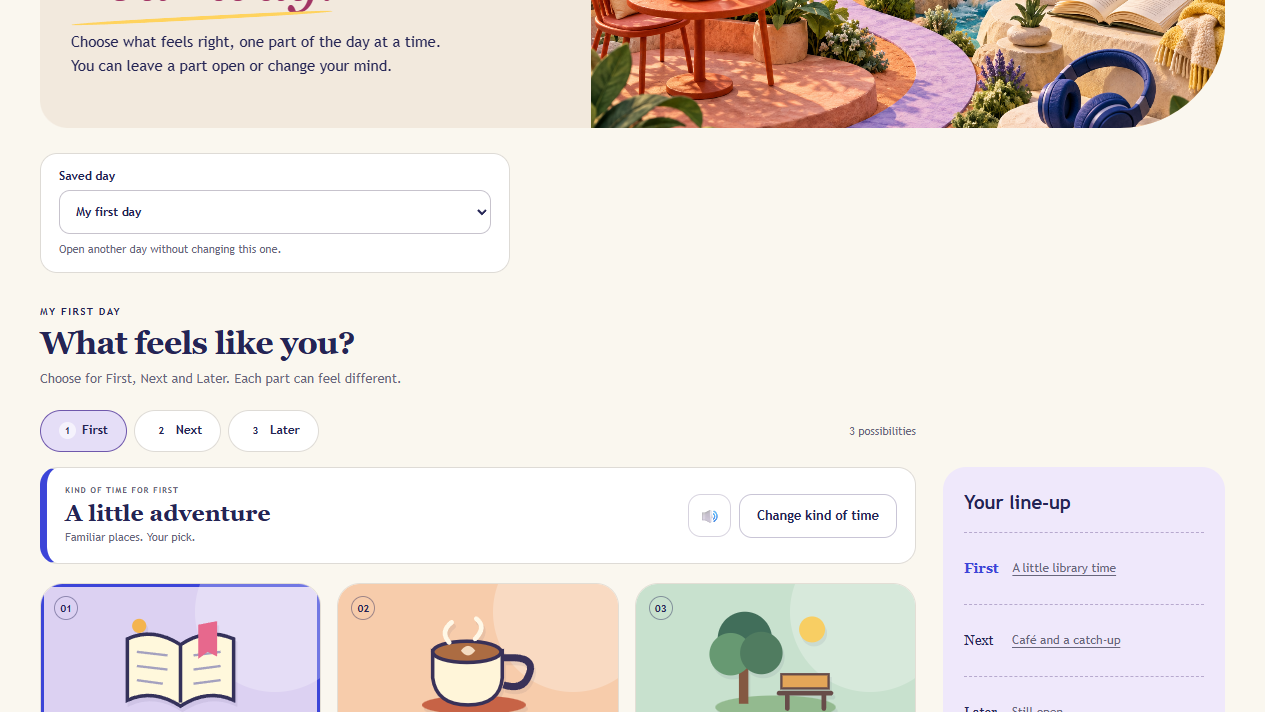
Actual Household Edition screen · fictional choices
A SMALLER QUESTION AT A TIME
For people who benefit from visual or spoken choices, and the family members, carers or trusted supporters helping prepare the day.
A helper creates the required six-digit PIN, keeps the one-time recovery code somewhere separate, then prepares saved days, reusable setups and familiar activities.
The person can use pictures and spoken words to choose First, Next and Later, ask for something different, leave a part open or change a choice.
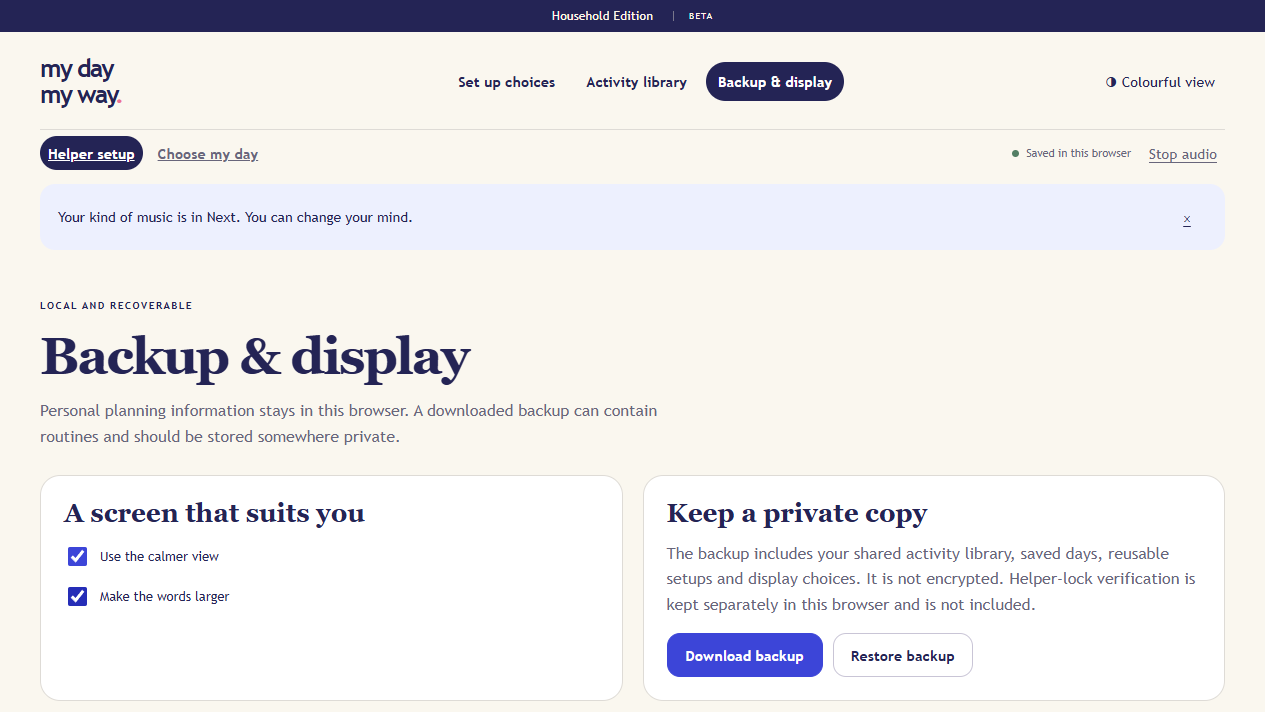
Review or print the day, keep preparation and packing lists together, and download a complete Household backup.
TAKE A LOOK INSIDE
See the helper PIN, familiar-choice setup, lock-and-handover step, day plan, backup and display controls in 3 minutes 53 seconds.
Clear on-screen captions are built into the video. The narration uses the Evelyn Multilingual synthetic voice.
Press play to watch here. On-screen captions are included in the video.
A LOOK INSIDE
BEFORE YOU BUY
There is no Betty account, remote database or automatic sync. Each browser profile starts separately. Clearing site data can remove the app copy, so keep a recent downloaded backup.
The required six-digit helper PIN protects setup from accidental changes on a shared device. Lock setup and hand over before chooser use. It is not a separate account, encryption or protection against someone with browser-data access.
Local data and JSON backups are unencrypted. Do not enter diagnoses, NDIS numbers, medication details, incident records, contact logs, progress notes or private care notes.
Android 13 Chrome has been checked using the BlueStacks emulator. Compatibility checks are continuing across more phones and tablets, including Apple devices. Exact installation, speech and browser behaviour can vary by device and browser.
YOUR QUESTIONS
No. It is an everyday choice-and-planning tool. It is not NDIS approved, clinically validated, a care record, a service-management tool or a progress-note system.
No. Activities, saved days and preferences stay in local browser storage on the device and browser you use. Payhip receives the details needed for checkout and delivery.
No. There is no automatic synchronisation. Download a Household backup and restore it manually on another browser if you need to move the setup. Check compatibility on that device first.
Use the one-time recovery code shown when the PIN is created. Store that code somewhere separate from the device. It is not included in the Household backup, and Betty Independent cannot recover it for you.
The current Household Edition has passed automated, browser and BlueStacks Android-emulator checks. Compatibility checks are continuing across more phones and tablets, including Apple devices. Device voices, installation and browser behaviour can vary.
Support covers opening and using the supplied app and guides. It does not include custom activity setup, care advice, urgent support or recovery of information that was not backed up.